
6 Best Vyond Animation Software Alternatives Revealed
Drag-and-drop character animation platforms are exceptional tools for spinning up quick, low-stakes internal training videos or basic classroom presentations. However, attempting to use standardized puppets and pre-built templates to close high-ticket enterprise B2B sales cycles is a massive risk to your conversion rates. Many growing tech brands quickly hit a creative ceiling with standardized asset libraries. When every competitor in your niche uses the exact same character models, default corporate backgrounds, and rigid motion assets, your brand identity becomes entirely diluted. This visual uniformity signals a lack of market maturity and product sophistication to high-value buyers. When your presentation looks generic, prospective enterprise clients naturally assume your software or infrastructure operates under that same lack of custom engineering. To break through this design bottleneck and safeguard your growth marketing performance, you must understand your application’s true visual requirements. Let’s evaluate the top professional animation software alternatives while discovering exactly when to stop relying on software templates altogether. The Creative Ceiling: Why Product Managers Look for Vyond Alternatives While cloud-based template builders provide an accessible point of entry, they create massive systemic limitations for scaling B2B marketing funnels. The “Template Fatigue” Problem Modern enterprise buyers, CMOs, and procurement officers are hyper-exposed to generic marketing assets. The moment a target decision-maker recognizes a default animation asset pack, your content loses its institutional authority. Bespoke brand presence requires original asset creation. If you cannot customize every vector line, coordinate plane, and kinetic transition to match your exact brand architecture, you are settling for a compromised position in the market. The Inability to Show Custom SaaS Workflows Replicating a sophisticated product experience inside a template environment creates extreme friction. Modern applications operate with complex user interfaces, nested data layers, and multi-directional information flows. Template-based character tools simply cannot map these abstract backend processes accurately. Attempting to force a complex cloud calculation or developer tool setup into a flat cartoon layout leads to a deep clarity gap that leaves your audience confused and disengaged. The Top 6 Vyond Animation Software Alternatives Evaluated To elevate your production value and optimize your digital distribution nodes, your growth team should analyze these six primary rendering environments. 1. Adobe After Effects The global industry standard for custom vector keyframing, UI/UX simulation, and premium kinetic typography. It allows for absolute creative freedom, enabling designers to build bespoke 2D and 2.5D visual environments from scratch. 2. Blender The ultimate open-source software suite for building immersive 3D spatial environments, cross-sectional hardware breakdowns, and architectural depth. Ideal for teams that need to showcase physical engineering alongside abstract software concepts. 3. Cinema 4D A high-tier, enterprise-grade 3D modeling and animation powerhouse. It is the default choice for premium motion design studios when constructing complex data trajectories, high-end technical architectures, and glossy product previews. 4. Toon Boom Harmony The undisputed champion for traditional, frame-by-frame character artwork and cinematic vector rigging. While highly powerful for illustrative narratives, it requires an exceptionally steep learning curve and advanced artistic talent. 5. Moho Pro A specialized vector-based 2D rigging alternative that offers powerful skeletal distortion and smart-bone mechanics. It bridges the gap between traditional illustration and automated digital pipelines for character-driven stories. 6. Animaker / Canva (Low-Tier Asset Alternatives) Basic, cloud-based layout editors built for fast, low-budget social media posts or quick text overlays. Like Vyond, they rely heavily on pre-packaged elements, making them suitable for early MVPs but completely unviable for enterprise-level authority. Tool vs. Agency: The Hidden Costs of In-House Software Pipelines Operational Parameter In-House Software Deployment ExplainerCue Agency Model Asset Authenticity High risk of template duplication 100% Bespoke, custom vector property Total Cost of Ownership High licenses, hardware, and senior salaries Fixed, predictable project-based pricing Pipeline Scaling Speed Slow (Dependent on individual designer speed) Immediate (Access to a full team of 11 specialists) Conversion Optimization Guesswork based on internal testing Proven framework modeled over 1,500 projects The ExplainerCue Upgrade: Moving Beyond Generic Templates In our experience at ExplainerCue, after working on over 1,500 projects, we have learned that high-growth companies do not win market share using cartoon avatars. They win by delivering absolute conceptual clarity to their target accounts. Eliminating the Learning Curve Purchasing elite animation software alternatives like After Effects or Cinema 4D is only the first step. The true cost lies in the months of training required to master complex keyframe interpolation, camera tracking, and visual physics engine behaviors. Our creative production pipeline skips this operational bottleneck entirely. We handle everything from advanced script structure and UI simplification to custom sound design, providing you with high-converting, professional assets without the internal overhead. Engineering Strategic Visual Properties We do not use cookie-cutter templates or generic asset packs. Our design studio builds tailored visual systems that map out your true software environments. Whether your strategic goal is demonstrating complex networking layers or helping clients systematically resolve devastating SaaS Onboarding Mistakes, we build structured layouts that position your business as an undisputed industry leader. [Placeholder: Insert Template-vs-Bespoke Motion Graphics Case Study Video Here] [BAAD MAI ADD KERNA HAI: Yahan ek split-screen performance video embed karein jo template animations vs ExplainerCue bespoke custom motion design ka visual contrast aur conversion metric lift dikhaye.] To analyze how a shift from flat graphics to premium depth can increase your landing page performance, explore our detailed resource on the benefits of implementing Isometric Design for Tech Products. Stop Settling for Default Software Templates Your platform was built to solve critical, high-value enterprise problems—do not let a cheap, pre-packaged animation template suggest otherwise. Upgrading from basic drag-and-drop tools to a customized, high-fidelity motion graphics system instantly bridges the clarity gap and builds institutional confidence. Ready to build authentic, high-converting product assets? Explore our master framework on how to select the ideal SaaS Animation Style for your target market, or Book a Specialized Motion Design Audit with ExplainerCue Today to engineer your product’s ultimate visual breakthrough.
8 Best 2D Motion Graphics Software for 2026
The dynamic demands of the B2B marketing funnel have shifted drastically. Product leads, startup founders, and CMOs are no longer just looking for basic video clips; they require high-fidelity, adaptive visual layouts to demonstrate complex systems on homepages, in app dashboards, and across global campaigns. To keep pace with this demand, enterprise decision-makers frequently commit a critical operational error. They buy expensive, tier-one software licenses or mandate their internal design teams to learn complex vector setups from scratch, assuming the tool itself will magically solve the production bottleneck. Instead, they run straight into the technical friction of production overhead. Teams get caught up in keyframe wrestling, expression engine failures, and scaling limitations that delay product launches by weeks. In our experience at ExplainerCue, after working on over 1,500 projects, we have seen that a software license does not guarantee a high-converting asset. True visual scale is unlocked only when you map your product’s architecture into a structured, conversion-optimized production engine. If your organization is evaluating its visual stack, here is the ultimate, strategic look at the best 2D motion graphics software shaping the enterprise space in 2026. The 2026 Core Stack: The Best 2D Motion Graphics Software Broken Down The modern production ecosystem is divided into distinct categories depending on your engineering goals, web-native optimization, and asset output requirements. Category A: The Procedural & Enterprise Heavyweights 1. Cavalry Cavalry has officially solidified its place as the premier data-driven tool for vector automation. Unlike older software that forces animators to manually adjust every single keyframe, Cavalry allows you to bind motion to data, logic, and custom rules. This makes it an invaluable asset for generating real-time UI data visualization and infinite design variations instantly. 2. Adobe After Effects Despite being an older platform, After Effects remains an absolute industry standard due to its unmatched third-party plugin ecosystem and robust layer-compositing framework. In 2026, its deep integration with automated tracking engines makes it a non-negotiable tool for clean vector rigging and styling complex interface mockups. Category B: Web-Native & Vector Interactivity Engines 3. Rive For tech-focused teams, Rive has completely revolutionized the intersection of design and live software. It allows teams to build lightweight, fully interactive vector graphics that run in real time inside apps or web pages with zero code export friction. For product managers looking to overhaul their digital touchpoints, deploying this system helps avoid common SaaS Onboarding Mistakes Analysis. 4. Jitter.video If your internal marketing department is heavily anchored in Figma, Jitter serves as the ultimate bridge for rapid UI prototyping. It functions as a lightweight, browser-based ecosystem that lets designers animate flat Figma layers with polished transitions in minutes, bypassing complex rendering pipelines entirely. Category C: High-End Character & Narrative Frameworks 5. Moho Pro When a marketing framework requires character-driven storytelling to humanize an abstract product, Moho Pro stands at the top. Its smart bone rigging dynamics allow animators to build highly detailed character models that pivot, turn, and express emotion fluidly, drastically reducing the time spent on traditional frame-by-frame asset correction. 6. Toon Boom Harmony The undisputed champion of traditional production pipelines. Harmony seamlessly blends bitmap illustration tools with vector deformation rigs inside a single studio workspace. While heavily favored by major entertainment networks, it is increasingly deployed by enterprise firms to construct bespoke, hand-drawn commercial campaigns that stand out against generic templates. Category D: Hybrid Vectors & Business Automation 7. Blender (Grease Pencil Architecture) Blender is no longer just a 3D creation engine; its heavily upgraded Grease Pencil engine has made it a powerful force for multi-dimensional 2D design. It allows teams to draw flat vector layouts directly inside a true 3D spatial coordinate system, creating breathtaking parallax depth and mixed-media styles that captivate viewers instantly. 8. Vyond For internal HR divisions and sales enablement teams requiring rapid, high-volume visual output, Vyond provides a template-driven cloud alternative. While it lacks the custom craftsmanship of custom studio design, its automated scene builders and rapid lip-sync features make it a viable tool for basic internal training videos. The Technical Friction: Why Software Knowledge Doesn’t Equal Conversion While knowing the ins and outs of the best 2D motion graphics software gives your team technical capability, it does not solve the fundamental challenge of B2B product positioning. An internal animator can easily map out a clean loop or spin a vector asset across a screen. However, translating a multi-tenant cloud database, an automated API framework, or a complex financial infrastructure into an intuitive visual story requires an architectural design strategy. True conversion optimization happens when your visual style mirrors your exact value proposition. When you deploy specialized Isometric Design for Tech Products, you transform flat software workflows into a high-end, multi-dimensional layout that corporate tech buyers can easily digest and trust. To explore how high-growth platforms integrate these principles into their core visual assets, read through our detailed 2D Isometric Explainer Deep Dive. Reaching the Ultimate ROI Production Pipeline The most cost-effective approach for modern marketing managers is a hybrid one. Use agile, browser-based applications like Jitter to quickly push out organic social media clips, localized marketing tests, and simple internal communications. However, when the stakes are high—such as designing your main product launch, building a high-converting homepage asset, or closing an enterprise-level SaaS deal—relying on basic in-house software templates can dilute your premium brand identity. To protect your market authority, it is crucial to move past basic templates and leverage custom-crafted frameworks. To see how industry leaders structure these visual pipelines, review our guide on Understanding SaaS Experience Blueprint. Skip the Learning Curve and Scale Your Output Are you tired of slow project turnaround times, technical keyframe bottlenecks, and internal design friction? Let’s bypass the software learning curve and build an enterprise video engine that delivers real revenue. Book a Free Video Strategy Audit with ExplainerCue Today. Let our team analyze your current product interface, refine your messaging, and map out a custom motion graphics roadmap that converts prospects into clients.
Use These Best Free Motion Graphics Software in 2026
The commercial pressure on B2B marketing channels has entered a highly demanding phase. Product managers, startup founders, and marketing directors must consistently push out premium visual assets to validate product logic and secure enterprise buyers. To achieve this without draining capital, many organizations lean heavily into free tools for their media asset creation. They assign internal teams to master complex open-source setups or free web tiers, assuming that removing software costs automatically translates to an efficient marketing workflow. However, this is where teams hit a severe technical bottleneck. Internal engineers and designers often end up wasting weeks wrestling with steep learning curves, rendering bugs, and limited integration tools instead of polishing the product’s messaging. At ExplainerCue, after managing over 1,500 enterprise video production pipelines, we have observed that free tools are incredible for internal prototyping, but relying on them for external conversion assets frequently backfires. True visual authority is established when your product workflow is framed through a scalable, strategically sound design framework. If your company is looking to build out its media toolkit without upfront capital investment, here is an analytical breakdown of the best free motion graphics software options defining the 2026 workspace. The 2026 Toolkit: Best Free Motion Graphics Software Evaluated The modern open-source and free-tier production stack is remarkably capable if deployed for the right operational use case. Here is how the top systems rank for enterprise teams. 1. Blender (The Open-Source Vector & 3D Powerhouse) Blender remains the undisputed king of free production pipelines. Thanks to its heavily optimized Grease Pencil layer system and the blazing-fast Eevee Next real-time rendering engine, teams can easily sketch flat 2D elements directly within a spacious, multi-dimensional layout. It is highly valuable for building rapid infrastructure layouts and mockups before moving to full production. 2. Rive (Free Tier — Web-Native Interactivity) For product development teams focused on functional UI design, Rive’s free tier is an essential asset. It moves away from heavy, unalterable video renders, allowing you to design lightweight interactive graphics that load instantly on web platforms. It is the perfect playground for drafting rapid interface responsive elements without any engineering friction. 3. DaVinci Resolve / Fusion (Advanced Compositing & Node Layouts) If your marketing division requires high-end technical color correction and complex visual effects layouts, Blackmagic Design’s free version of DaVinci Resolve is unmatched. The built-in Fusion page operates on a powerful node-based compositing system, making it an excellent workspace for building sharp text overlays, technical lower-thirds, and clean user interface screen cleanups. 4. Jitter.video (Free Tier — Fast Figma UI Motion) When rapid execution is the priority, Jitter offers a seamless browser-based option. Its free tier functions as a direct bridge for your UI/UX design workspace, allowing you to import static Figma layouts and apply polished transitions in seconds. It is a highly efficient tool for social media updates and quick feedback loops. 5. Synfig Studio (Traditional Timeline Vector Animation) For companies needing traditional timeline layouts without hefty licensing, Synfig Studio provides a functional open-source vector system. While it lacks the procedural automation of modern premium tools, its robust bone-rigging systems make it a steady choice for simple conceptual drafting and rough narrative storyboarding. The Operational Ceiling: When “Free” Costs Your Brand Conversions While capitalizing on the best free motion graphics software saves your initial software budget, it introduces a significant hidden cost: internal time dilution. An in-house designer can learn a tool’s interface, but building a high-converting visual layout that immediately convinces a cautious enterprise CTO requires deep conversion optimization expertise. When software demos look clunky or rely on generic templates, your brand authority drops immediately. When a software launch is on the line, relying entirely on open-source pipelines can lead to unexpected formatting issues. Transitioning away from basic self-made tools and leveling up your enterprise messaging through an optimized SaaS Animation Style Guide ensures your core technical differentiators look clean, cohesive, and completely premium. Designing a High-ROI Hybrid Visual Pipeline The most profitable approach for modern enterprise marketing is balancing your visual assets through a hybrid structure. Deploy free cloud systems like Jitter and Rive for quick internal brainstorming, interactive product mockups, and daily social media clips. This keeps your internal team highly agile without adding tool overhead. However, when launching your main homepage, pitching to investors, or showcasing high-stakes software logic, you need specialized expertise. Utilizing clean Isometric Design for Tech Products helps simplify multi-layered software layers into an easily digestible view that drives corporate sign-ups. To ensure your entire onboarding journey looks modern and functions smoothly without losing prospects, read through our strategic analysis of SaaS Onboarding Mistakes Analysis. To see how top brands blend software flexibility with elite design mechanics to scale their pipelines, read our detailed guide on Understanding SaaS Experience Blueprint. You can also check our industry review of the Top Explainer Video Production Companies. Bypass the Production Lag and Scale Your Brand Are you tired of losing hours to software bugs, rendering limitations, and complex internal design bottlenecks? Let’s skip the steep learning curves and build a high-converting, enterprise-ready visual engine for your product. Book a Free Video Strategy Audit with ExplainerCue Today. Let our team review your product architecture, optimize your conversion funnel, and engineer a custom motion design roadmap built to convert.
5 Best Software to Create Explainer Videos in 2026

The commercial video landscape has moved into an era of hyper-accessibility. For product managers, growth marketers, and corporate leaders, producing visual media assets no longer requires investing in massive hardware setups just to push out a baseline marketing asset. When a brand needs to introduce a new application or update a complex enterprise system, the immediate impulse is often to search for quick digital tooling. Internal creative divisions frequently acquire monthly subscriptions to automatic web apps, hoping to turn deep technical functionality into simple, engaging narratives. However, many teams quickly hit a creative ceiling known as the “Template Friction Gap.” This is the exact point where a marketing department realizes that dragging and dropping generic shapes fails to convey premium product logic or secure B2B buyer trust. If your organization needs to evaluate the current digital creative stack to balance baseline production speed with overall visual output, here is an objective analysis of the leading software to create explainer videos in 2026. The 2026 Evaluation: Top 5 Video Creation Platforms The modern application ecosystem splits cleanly between templated automated engines and professional custom canvas environments. Here is how the top five platforms compare for business positioning. 1. Vyond (The Character Animation Default) Vyond continues to lead the cloud-based market for corporate training teams and rapid human-resource visual scripts. Its extensive library of pre-made character movements, industry props, and basic transitions makes it incredibly fast for assembling quick conversational setups. The clear limitation is its repetition; the distinct template style is easily recognizable, which can lower the premium feel of a proprietary product launch. 2. Adobe After Effects (The Custom Motion Architecture) After Effects remains the absolute global studio standard for engineering bespoke UI frameworks, complex visual assets, and high-converting marketing campaigns. It offers unlimited design freedom, allowing your team to control every individual pixel, vertex path, and layer transition. The main drawback is its high operational barrier; it requires specialized motion engineers and a steep interface learning curve to produce professional results. 3. Blender (The Open-Source 3D Powerhouse) Blender has become a dominant tool for enterprise video pipelines requiring advanced spatial dimension modeling and realistic lighting. Because it is completely open-source, it houses a massive global community that continuously updates its rendering performance. It is an exceptional system for physical product walk-throughs, though it demands substantial computing power and deep technical optimization knowledge to run efficiently. 4. CreateStudio (The Social Clip Accelerator) CreateStudio addresses the needs of agile growth marketers who need to generate quick, highly styled 3D social clips, ad creatives, and basic vector explainers. Its interface removes heavy timeline clutter, enabling rapid rendering turnarounds. However, its structured setup makes it difficult to display detailed software screens, nested dashboards, or highly customized user workflows. 5. Runway / Gen-3 Alpha Suites (The Generative AI Layer) Generative AI suites have firmly established themselves as powerful tools for rapid visual ideation, background staging, and surreal conceptual mood boards. They allow creative teams to turn plain text prompts into high-definition video clips in seconds. The core limitation for software brands is a lack of strict frame-by-frame control; these tools cannot yet reliably reproduce exact user interface layouts without visual distortions. The Complexity Threshold: Where Templates Limit B2B Conversion While utilizing basic software to create explainer videos is an excellent, cost-effective choice for internal training decks or rapid social media updates, automated tools hit a strict boundary when handling high-stakes corporate messaging. A template tool can show a pre-animated figure typing on a laptop, but it cannot elegantly break down an abstract multi-layered data grid, show a secure cloud-server routing network, or map out a proprietary user journey. ============================================================ [SPACE FOR EXPLAINERCUE SYSTEM WORKFLOW / PREMIUM VIDEO MOCKUP] In our experience at ExplainerCue, after evaluating performance metrics across more than 1,500 custom production pipelines, we have observed that deploying generic template graphics for a high-tier product rollout actively increases user drop-off. If a prospective buyer feels your visual assets look like a stock template, they will assume your underlying software lacks premium engineering. Aligning Your Product Architecture with Premium Engineering The most profitable path for expanding tech organizations and corporate brands is separating your daily social media asset creation from your main conversion assets. Use lightweight, automated web software to handle your everyday community engagement loops, quick visual updates, and temporary ad variants. This keeps your internal creative team highly responsive and agile without inflating your monthly production budget. However, when a decision-maker arrives on your main product page, steps into a high-stakes investment meeting, or evaluates an enterprise demo, your visual presentation must be completely seamless. For example, when introducing high-level applications to technical directors, deploying targeted SaaS product demo video services or clean 2D animated videos completely removes initial user hesitation. If your product involves complex spatial movements or deep technical layers, transitioning away from flat imagery to customized Isometric animated video services turns dry data inputs into an engaging visual narrative. For brands competing in crowded enterprise spaces, partnering with a professional 3D explainer video production agency gives your team the capability to build flawless 3D realistic videos that establish immediate corporate trust. Whether your goal is building a premium human connection using authentic live action videos or refining your core brand messaging using high-retention explainer videos, custom-engineered motion graphics ensure your platform feels authoritative, credible, and built to convert. Stop Wrestling with Rigid Templates and Scale Your Corporate Conversions Are you tired of spending valuable marketing hours trying to force your complex software architecture into restrictive online video templates? Let’s skip the design limitations and engineer an elite visual asset built precisely for your unique product layout. Book a Free Video Strategy Audit with ExplainerCue Today. Let our B2B animation specialists review your current conversion funnel, map out your software mechanics, and build a custom motion graphics asset designed to turn profile views into closed revenue.
9 Best Motion Graphics Software in 2026: An Enterprise Guide
In 2026, the barrier to entry for high-quality motion design has never been lower. With AI-assisted rendering, real-time engines, and cloud-based collaborative tools, the market is flooded with software promising to turn anyone into a motion designer. For CTOs, Marketing Managers, and creative leads, this creates a significant “Strategy-Execution Gap.” Brands often invest heavily in expensive enterprise licenses for the “best” tools, assuming that the software itself will elevate their brand quality. In reality, the software is merely the instrument. The most sophisticated engine in the world cannot fix a messaging framework that fails to communicate product value. To drive conversions, brands must stop focusing on the “best” tool and start focusing on the workflow that turns complex data into high-retention visual assets. The 2026 Evaluation: 9 Best Motion Graphics Software Choosing the right stack depends on your team’s objective—whether it is high-end architectural rendering, rapid UI simulation, or massive data visualization. 1. Adobe After Effects (The Gold Standard) After Effects remains the undeniable backbone of the industry. It is the most versatile tool for 2D motion, complex masking, and frame-by-frame character animation. Its integration with the Adobe ecosystem makes it the primary choice for professional studios. 2. Cinema 4D (The Enterprise 3D Leader) For high-end 3D motion, Cinema 4D is the enterprise choice. It offers unmatched stability for complex renders and is the industry standard for creating professional, high-fidelity 3D product visuals. 3. Blender (The Open-Source Powerhouse) Blender has revolutionized the production landscape. As an open-source tool, it provides advanced modeling, sculpting, and rendering capabilities that compete directly with multi-thousand-dollar suites, making it an essential asset for lean, agile creative teams. 4. Cavalry (The Modern Workflow Accelerator) Cavalry is designed for high-velocity production. Its procedural workflow allows designers to create complex motion graphics with data-driven parameters, perfect for teams that need to iterate on assets quickly. 5. Rive (The UI/UX Motion Specialist) If your focus is on SaaS platforms and app interfaces, Rive is essential. It allows for interactive, state-machine-driven animations that run seamlessly in browsers and apps, directly connecting visual design to product functionality. 6. Houdini (The Procedural Simulation Giant) For complex simulations—like fluid, smoke, or vast particle systems—Houdini is untouchable. It is the go-to tool for high-end technical visualization where procedural control over every frame is required. 7. DaVinci Resolve (The Integrated Post-Production Suite) While primarily a video editor, Fusion (its built-in motion graphics module) offers node-based compositing that is increasingly used for massive visual projects, providing a streamlined end-to-end production pipeline. 8. LottieFiles (The Web-Ready Animation Engine) Lottie is less of an animation software and more of an ecosystem that makes complex motion graphics lightweight and web-ready, allowing designers to embed professional animations into websites without compromising performance. 9. Unreal Engine (The Real-Time Rendering King) Unreal Engine is no longer just for gaming. Its real-time rendering capabilities have made it the industry leader for live, interactive, and high-fidelity motion graphics, drastically reducing render times for complex 3D scenes. Building an Enterprise Motion Design Pipeline Having access to the best motion graphics software is worthless if your production pipeline is fragmented. A professional motion team requires a structured workflow: from script-to-storyboard, design-to-render, and feedback-to-final. In our experience at ExplainerCue, after working on over 1,500 projects, we have observed that the tool matters less than the ability to translate complex product data into a simple visual story. A studio that masters the workflow will always outperform a studio that simply masters the software. [Placeholder: Insert Case Study/Video here] If your team is managing a complex software ecosystem, utilizing specialized SaaS product demo video services is critical. We often combine these software tools to build Isometric animated video services that simplify backend data architectures into intuitive visual flows. For brands that need to build authority in high-stakes markets, we leverage the power of a 3D explainer video production agency to turn abstract logic into tangible, high-conversion visual assets. Optimize Your Production Strategy Today Are you ready to stop managing licenses and start managing conversions? Let’s evaluate your current pipeline and see where your visual strategy can be optimized for better performance. Book a Free Video Strategy Audit with ExplainerCue Today. Let’s move beyond the tools and build a visual engine that turns your platform complexity into your competitive advantage.
Best 3D Motion Graphics Software You Must Know in 2026: An Enterprise Guide
In 2026, the B2B marketing landscape has shifted. Static images and generic 2D charts are no longer enough to command the attention of enterprise decision-makers. As product architectures grow in complexity, the ability to visualize technical logic has become a competitive requirement. For CTOs and Marketing Managers, the temptation is to invest in expensive enterprise licenses for the best 3D motion graphics software, assuming the tool itself will solve the engagement problem. In reality, software is just an instrument. Without a production-to-pipeline strategy, even the most powerful tools become cost centers that produce uninspired content. Best 3D Motion Graphics Software Enterprise Landscape: Visualizing Complexity There is a distinct “Clarity Gap” in modern tech marketing. SaaS companies often struggle to explain their proprietary infrastructure, cloud networks, or backend workflows to non-technical stakeholders. When you choose to implement 3D visualization, you aren’t just creating a “cool video.” You are creating a bridge between abstract technical logic and buyer understanding. Precision in 2026 is far more valuable than artistic polish. The goal is to make the invisible visible, whether you are highlighting a secure API handshake or the structural integrity of a cloud architecture. The 4 Must-Know 3D Software Tools for Enterprise While dozens of tools exist, four platforms have solidified their place as the foundation of enterprise-grade motion design. 1. Cinema 4D: The Corporate Gold Standard Cinema 4D is the undisputed backbone for high-fidelity brand films. Its stability and massive library of industry-standard plugins make it the primary choice for studios producing premium technical marketing assets. If your project requires high-end, polished 3D assets that need to look broadcast-ready, this is the tool. 2. Unreal Engine: The Real-Time Revolution Unreal Engine has moved beyond gaming to become the leader in interactive, real-time product environments. Its ability to render high-fidelity graphics instantly makes it essential for brands that need to iterate rapidly or showcase interactive, 3D product demos. 3. Blender: The ROI-Focused Powerhouse Blender has evolved into an agile hero for enterprise teams. As an open-source tool, it provides advanced modeling, sculpting, and procedural capabilities that compete with multi-thousand-dollar suites, offering immense value for teams that need high-quality custom assets without the massive licensing overhead. 4. Houdini: The Procedural Logic Specialist For data-heavy visualization, Houdini is unmatched. Its procedural architecture allows for the visual representation of complex logic, making it the perfect tool for enterprises that need to visualize large-scale database systems or particle-based data flows. ExplainerCue: Our 3D Production Methodology In our experience at ExplainerCue, after managing over 1,500 projects, we have observed that the software is only as powerful as the pipeline it lives in. We do not start with a software license; we start with your product’s core pain point. Our production process follows a strict “Logic-to-Light” framework: ============================================================ [Placeholder: Insert Case Study/Video here] Strategy-First Integration: Which Service Do You Need? The choice of tool should dictate the service you commission. We align our specialized services with the specific visualization needs of your product: The Verdict: Buying vs. Building The hidden costs of enterprise 3D are not just licensing fees; they are the months of training and the opportunity cost of an internal team trying to learn an industry-standard pipeline from scratch. Do not let a steep learning curve delay your market launch or compromise the quality of your product explanation. Let the experts handle the technical rendering while you focus on scaling your enterprise pipeline. Book a Free Video Strategy Audit with ExplainerCue Today. Let us review your current product roadmap and design a 3D visual engine that turns your technical complexity into your greatest competitive advantage.
How to write an Explainer Video Script? Grab the Best Way in 2026

In the fast-paced B2B landscape of 2026, the “Clarity Gap” is the greatest enemy of conversion. This gap exists between the sophisticated solution you offer and the prospect’s ability to grasp its value in under 60 seconds. If your audience cannot instantly understand how your product resolves their specific pain point, they move on. At ExplainerCue, after refining over 1,500 projects, we have found that the most effective way to bridge this gap is not through high-budget graphics alone, but through a surgical, high-converting script. Here is how to write an explainer video script that turns complex technical propositions into high-intent revenue. 1. Decoding Your Audience & Value Proposition Before you type a single word, you must define the “Who” and the “Why.” A script written for a CTO requires a different lexicon than one designed for a Marketing Manager. In our experience, the most successful SaaS product demo video services start by anchoring the narrative in a relatable struggle. Do not lead with your features; lead with the transformation your product facilitates in their daily workflow. The 5-Second Hook You have less than five seconds to prevent the “scroll-away.” Your opening must agitate a known industry pain point. 2. Structuring Your Script (The Proven Framework) To effectively write an explainer video script, you need a framework that respects the viewer’s cognitive load. We recommend the 4-Step Narrative Arc: [Placeholder: Insert Case Study/Video here – Highlighting a SaaS onboarding success] 3. Best Practices to Write Explainer Video Script (2026 Edition) Keep It Conversational The biggest mistake we see in corporate scripting is the “textbook trap”—using jargon-heavy sentences that look better on paper than they sound in audio. Read your script aloud. If you stumble over a sentence, your voice-over artist will, too. Visual-Audio Synergy A script is only one-half of the final asset. You must write with the visual in mind. If you are highlighting a data-heavy interface, your script should pace itself to allow the 3D explainer video production agency enough time to showcase the UI elements. For deeper technical products, consider how Industrial automation explainer video strategies use visual cues to offload cognitive burden from the voice-over. 4. The Pro-Tip: Visualizing the Script via Storyboarding A script is the blueprint, but the storyboard is the build. Once your script is finalized, we map it against a visual sequence to ensure pacing. If you are struggling to communicate complex integrations, refer to our guide on Isometric design for tech products to understand how visual perspective can clarify functional hierarchy. For those in the finance or security space, looking at a successful Fintech and DeFi explainer video can offer a blueprint for translating abstract security protocols into trustworthy visuals. Final Thoughts: From Script to Screen Writing a high-authority script is about subtraction—removing everything that doesn’t push the viewer toward a business decision. Whether you are building a PropTech AI-driven platform demo or a Cybersecurity enterprise software video, the goal remains the same: clarity, credibility, and conversion. Don’t let your product’s value get lost in a cluttered script. If you are ready to elevate your video strategy and ensure your brand narrative resonates with your target enterprise audience, we are here to help. Ready to turn your vision into a high-converting motion design asset? Book a strategy audit with ExplainerCue today and let’s bridge your clarity gap. For more insights on optimizing your video content, explore our SaaS animation style guide or analyze common SaaS onboarding mistakes to avoid in your next production.
9 Best Motion Graphics Software for B2B Design (2026)
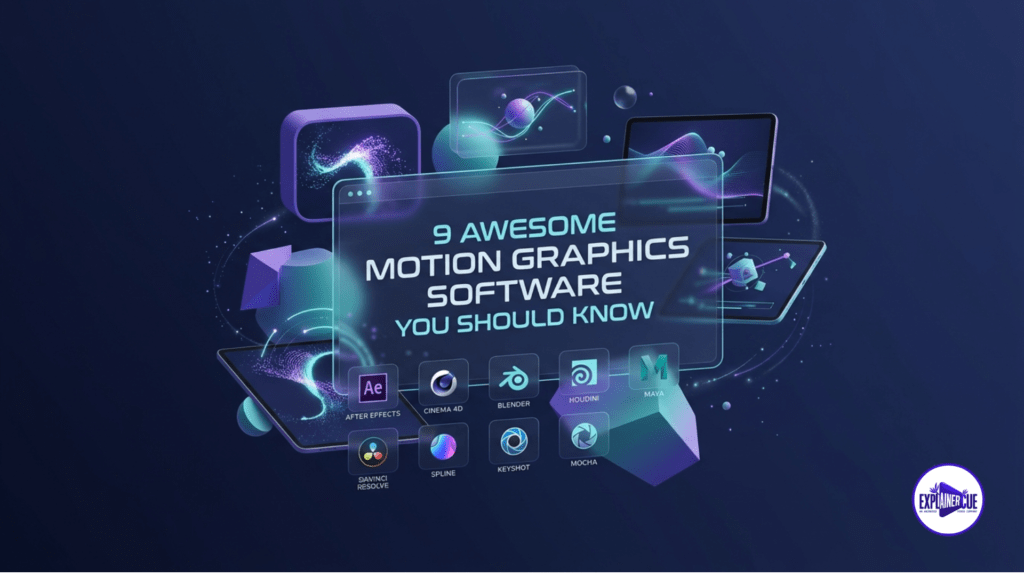
In the fast-paced B2B market of 2026, the “Clarity Gap” is the silent killer of conversion rates. This gap exists between your complex SaaS solution and your prospect’s ability to understand its value within the first 10 seconds of a site visit. When your marketing assets look like generic templates, you aren’t just losing viewers—you are losing authority. At ExplainerCue, after delivering over 1,500 projects, we have learned that the right motion graphics software is not just about the features; it’s about how those features translate into business clarity. Motion Graphics Software “Heavy Hitters”: Industry Standards for High-Conversion Assets If you are aiming for high-end, broadcast-quality motion, these are the tools that build the foundation of our studio. The “New Wave”: Procedural & AI-Augmented Workflow Modern workflows are shifting from frame-by-frame animation to procedural logic. The “Accessibility” Tier: Speed & Iteration Sometimes, the goal is rapid social velocity. These tools are perfect for teams that need to output content daily. [Placeholder: Insert Case Study/Video here – Showcasing how we use these tools for high-conversion results.] Strategic Shift: Choosing the Right Software for Your SaaS The decision to choose a motion graphics software should be guided by your business goals, not just feature lists. If you are building a SaaS product demo video, your tool choice should prioritize clean UI representation and narrative flow. For complex technical platforms, we often use Isometric animated video services to translate abstract software logic into clear, visual architecture that a CTO can understand in seconds. Final Thoughts: From Software to Strategy Your software choice is only as good as the strategy behind the script. Using the right tool won’t save a weak narrative, but it will amplify a strong one. Is your team struggling to choose the right path for your video assets? Don’t let your complex product’s value get lost in a cluttered, template-heavy video. Let our experts at ExplainerCue guide you. Book a strategy audit with ExplainerCue today and let’s bridge your clarity gap with professional motion design.