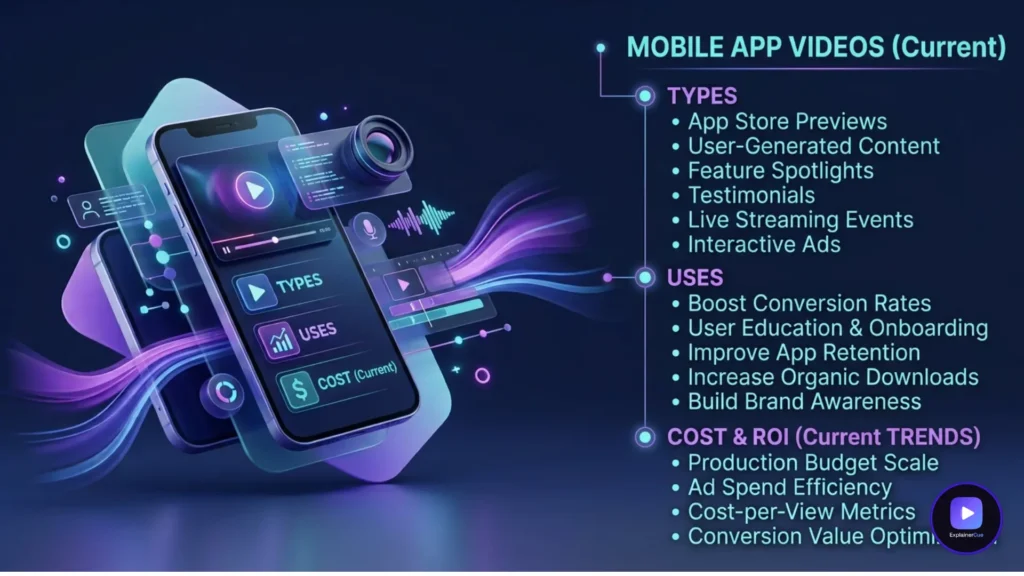
Mobile app videos are short videos made to drive app installs, activation, and retention — spanning app-store preview videos, promo videos, in-app demos, and onboarding clips. Each type has a different job and a different set of rules (especially the app stores’ strict specs). This guide breaks down every type, where it works, its technical requirements, and what it costs — so your video actually moves installs instead of just looking nice on a landing page.
The main types of mobile app video
“App video” is not one thing. The four types below serve different stages of the install-to-loyal-user journey, and using the wrong one in the wrong place is the most common waste.
1. App store preview video
Plays right on your App Store or Google Play listing and directly influences install rate. It must hook in the first seconds and show real UI. Apple and Google enforce strict specs (length, resolution, format — and, on Apple’s side, what the footage can actually contain), so it has to be built to their current requirements.
2. App promo video
The marketing video for ads, social, and your landing page. More story-driven than a store preview — it sells the value and the feeling, then drives to the store.
3. In-app demo / feature video
Shows a specific feature or workflow, used on product pages or in-app. Closest to a product demo video, focused on how it works.
4. Onboarding clip
Short in-app videos that get a new user to their first value moment — the single biggest lever on early retention and against churn.
Which app video for which goal
| Goal | Video type | Where it lives |
|---|---|---|
| More installs | App store preview | App Store / Google Play |
| Awareness & ads | Promo video | Social, paid, landing page |
| Show a feature | In-app demo | Product page, in-app |
| Activation / retention | Onboarding clip | Inside the app |
App Store & Google Play video specs (2026)
These are the current published requirements as of mid-2026 — verify against Apple’s and Google’s own documentation before final export, since app store specs are updated periodically.
Apple App Store preview video:
- Duration: 15–30 seconds (inclusive on both ends — 14.9s or 30.1s will be rejected)
- Format: .mov, .m4v, or .mp4, H.264 encoding
- Resolution: must match the target device exactly (e.g. 1290×2796 or 1320×2868 for current flagship iPhones; different sizes for iPad)
- File size: up to 500MB
- Up to three preview videos per device class, per app localization
- Content rule that matters most for anyone hiring a studio: Apple requires actual in-app screen capture — no live-action footage, no staged hands-on-device shots, and no animated mockups or device frames. The preview must be real device footage of your actual app running. Full details in Apple’s App Store preview guidelines.
Google Play promo video:
- Delivered as a YouTube link (not an uploaded file) — Google Play doesn’t host the video file itself
- Duration: 30–120 seconds
- Requires a feature graphic (1024×500) alongside it to display
- Up to three videos per listing
- More flexible on content than Apple — a promo-style edit with graphics, motion, and marketing framing is accepted (unlike Apple’s real-footage-only rule for previews). Full details in Google’s Google Play graphic asset specs.
Confirm current numbers directly with Apple and Google before you export — these specs are revised periodically.
Animated UI vs screen recording for apps
Screen recordings are quick but show every rough edge and age the moment your UI updates. Animated UI — recreating your screens as clean motion — looks sharper, highlights the exact tap or swipe that matters, and is far easier to update when the app changes. For a promo video, in-app demo, or onboarding clip, animated or hybrid UI almost always converts better.
One important exception: your actual Apple App Store preview video cannot be animated UI — Apple’s rules require real screen capture from the device. Animated UI is the right call for your promo video, demo, and onboarding — the store preview itself has to be genuine footage.
Your app store preview is a conversion asset, not a trailer. Its only job is to turn a listing view into an install — everything cinematic that doesn’t serve that is wasted.
— Bilal Ali, Founder & Creative Director, ExplainerCue
A mobile app video example
An app/software product video produced by ExplainerCue — clean animated UI showing the core workflow, built to drive action rather than just demonstrate features.
About this video: This product video uses animated UI to walk through an app’s core workflow — highlighting the key screens and actions a user takes to reach value, in a clean, legible style that stays sharp even as the underlying interface evolves.
What mobile app videos cost
Most app videos are short, so they sit at the accessible end of production. ExplainerCue’s fixed pricing is $1,000 (30s), $2,000 (60s), and $3,000 (90s), with script, animated UI, voiceover, and revisions included — and a promo video plus onboarding set can be built from one production to control cost. (Note: since the App Store preview itself must be real screen capture per Apple’s rules, that specific asset is typically edited from your actual app footage rather than animated — we can help script and edit it, but it isn’t built the same way as the animated pieces.) Backed by 680+ verified five-star reviews across 3,100+ videos. Get a custom quote for your app.
Faq’s
Q1: What are mobile app videos?
Short videos made to drive app installs, activation, and retention — including app-store preview videos, promo videos, in-app demos, and onboarding clips. Each type serves a different stage of the user journey.
Q2: What is an app store preview video?
A short video that plays on your App Store or Google Play listing and directly affects install rate. Apple requires 15–30 seconds of actual in-app screen capture (no animation or staged footage); Google Play promo videos are 30–120 seconds and delivered via YouTube link, with more flexibility on style.
Q3: Should app videos use animated UI or screen recordings?
For promo videos, in-app demos, and onboarding, animated UI usually converts better — it looks sharper and is easy to update. The one exception is Apple’s App Store preview video itself, which must be genuine screen capture per Apple’s rules, not animation.
Q4: How much do mobile app videos cost?
ExplainerCue’s fixed pricing is $1,000 (30s), $2,000 (60s), and $3,000 (90s), with animated UI and revisions included. A promo video and onboarding set can be built from one production to save cost.
Q5: What length and format should an app store preview video be?
An Apple App Store preview must be 15–30 seconds, exported as .mov/.m4v/.mp4 in H.264, at the exact resolution for your target device, under 500MB. Google Play promo videos run 30–120 seconds and are hosted on YouTube rather than uploaded directly.
Last updated August 11, 2026

Syed Bilal Ali (Bill)
I’m Syed Bilal Ali (Bill), Founder and Creative Director at ExplainerCue. I help B2B brands explain complex ideas through high-impact motion graphics and 3D animation. Here, I write about video marketing strategies, animation trends, and creative execution.
More articles by Syed Bilal Ali (Bill) →Need a video that explains your product?
3,100+ B2B explainer, isometric and 3D videos delivered since 2018.
Get a custom quote