
Industry · SaaS & Enterprise Software
SaaS Explainer Video Production
Explainer and demo videos that turn complex software into signups. We animate your real UI — workflows, features and value — for B2B SaaS teams that need to shorten the sales cycle.
Get an instant estimate
Examples
Recent SaaS explainer videos

Software Product Demo
SaaS · Animated UI · Demo video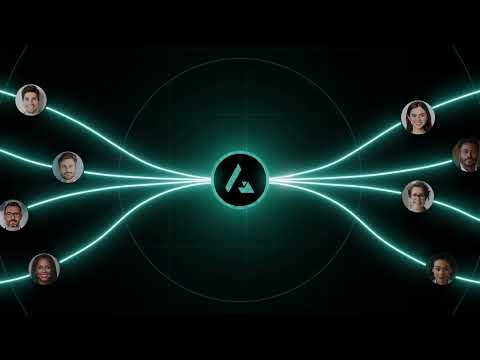
Enterprise Software Launch
Enterprise SaaS · 2D animation · Product launch
AI Sales Automation Launch
AI SaaS · 2D animation · Feature launch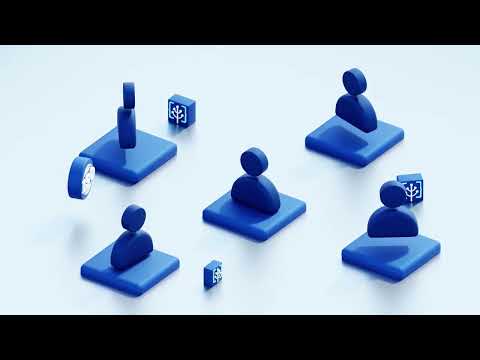
GreenTech SaaS Explainer
GreenTech · 2D animation · Brand explainer
Enterprise Software Explainer
Enterprise · 2D animation · Internal rolloutA SaaS explainer video is a short animated video that shows what your software does, who it’s for and why it’s better — usually in 60–90 seconds. ExplainerCue provides SaaS explainer video production for B2B software teams, from first-touch brand explainers to animated product demos, in-app onboarding and feature launches.
Explainer vs product demo — which does your SaaS need?
An explainer video sells the outcome: the problem, your solution and the value, in a story a first-time visitor understands in under 90 seconds. A product demo video shows the software itself — real screens, clicks and workflows — for buyers further down the funnel who have already decided they have the problem.
Most B2B SaaS companies eventually need both, but not at the same time. If your homepage bounce rate is high and prospects arrive at sales calls not understanding the category, you need an explainer. If prospects understand the category but stall before signing up, you need a demo. Building the wrong one is the most common and most expensive mistake in SaaS video.
Where SaaS explainer videos actually convert
- Homepage and product pages. The single highest-leverage placement — it is seen by nearly every prospect and runs for years.
- Paid ads and retargeting. Short cutdowns of the main explainer, edited for sound-off viewing.
- Onboarding and in-app. Short videos at the exact moments users get stuck. Most trial churn happens before the user reaches value, not after weighing the product.
- Sales decks and pre-call material. Answers “what does it actually do?” before a live call, so the call starts further along.
- Investor and board material. One clear version of the product story that everyone repeats correctly.
For a deeper look at where video fits across the funnel, see our guides on B2B SaaS conversion optimization and reducing free-trial churn.
We animate your real UI
We recreate your interface as clean, animated UI so the product looks its best — no laggy screen recordings, no cursor hunting for a menu. We match your design system, highlight the exact features that matter to that buyer, and simplify anything that would be visual noise on screen.
Animated UI has a second advantage that matters over time: when your product ships a redesign, we update the animation rather than re-recording every walkthrough. For data-heavy or multi-system products, isometric animation shows how the whole platform connects in one view — something a flat screen recording cannot do.
Choosing a style for your product
Not every SaaS product suits the same treatment. 2D animation works for concept and brand storytelling. Motion graphics is best for data, dashboards and UI. Isometric suits platforms with many moving parts, integrations or infrastructure. Our guide to choosing a SaaS animation style walks through the decision in detail.
Built for B2B software
We have produced explainer and demo videos across SaaS, fintech, cybersecurity and developer tools. We understand technical products and translate them without dumbing them down — the goal is a video your engineers approve of and your buyers actually finish. See how that plays out in practice in our enterprise software case study.
“Most SaaS videos fail because they explain the software instead of the problem. The buyer doesn’t need to understand your product — they need to recognise their own situation in the first ten seconds.”— Syed Bilal Ali (Bill), Founder & Creative Director
By the numbers. ExplainerCue has produced 3,100+ videos across 30+ industries for clients in 15+ countries, backed by 680+ verified five-star reviews.
How it works
Our six-stage process
01
Brief
Goals & product02
Script
We write it03
Storyboard
UI & visual plan04
Animation
Production05
Revisions
Until it’s right06
Delivery
All formats FAQ
Frequently asked questions
How much does a SaaS explainer video cost?
ExplainerCue’s fixed pricing is $1,000 (30s), $2,000 (60s) and $3,000 (90s), with script, animated UI, voiceover and revisions included. Producing several videos from one shared style lowers the per-video cost.
What is the difference between a SaaS explainer video and a product demo video?
An explainer sells the outcome — the problem, your solution and the value — to someone encountering you for the first time. A demo shows the software itself, screen by screen, for a buyer already evaluating you. Most SaaS companies need both, but not at the same stage.
Do you animate our actual product UI?
Yes. We recreate your interface as clean animated UI rather than using screen recordings, so the product looks its best and the exact features that matter are highlighted. We work to your design system.
How long should a SaaS explainer video be?
60–90 seconds for a homepage or top-of-funnel explainer. In-app and onboarding videos work best much shorter — often 15–30 seconds, focused on one action.
Can you update the video when our product changes?
Yes — that is a key advantage of animated UI over screen recordings. We edit the project file rather than re-recording, so a redesign or feature change doesn’t mean starting over.
How long does production take?
Typically 2–4 weeks per video. Multi-video series run on an agreed schedule with a shared visual style.
Ready to make your software obvious?
Tell us what your product does and we’ll recommend the right video — free consultation, no commitment.
Get a free quote →