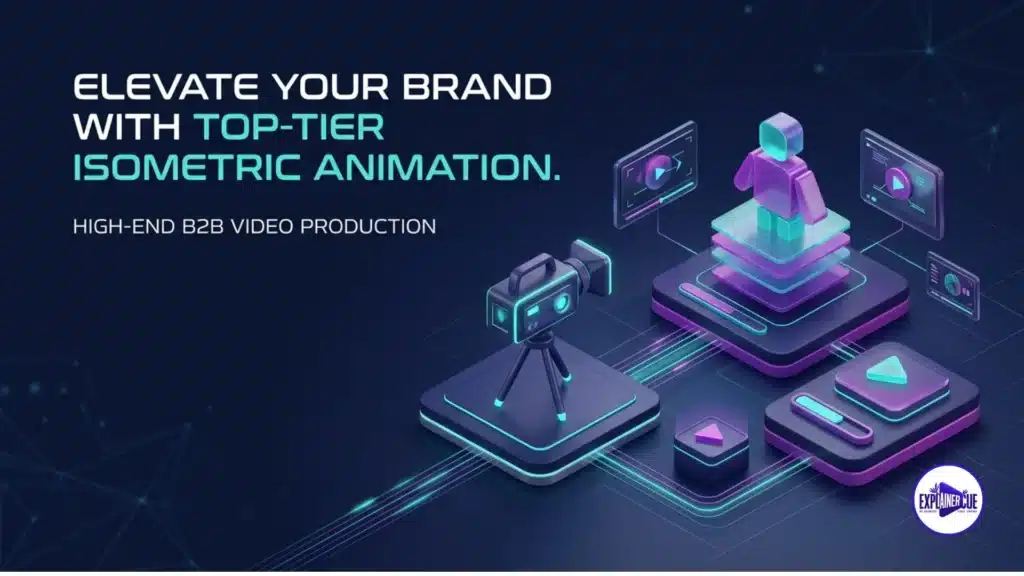
Isometric animation production is the process of creating animated video in an isometric projection — a 2.5D view where the camera sits at a fixed angle so an object’s top and two sides are all visible at equal scale, with no perspective distortion. That single property is why isometric is the go-to style for showing entire systems, platforms, and workflows in one connected scene. This guide covers what it is, the geometry that defines it, exactly how it is produced, when to use it, and what it costs.
What isometric animation actually is
Isometric is a form of axonometric projection. Unlike normal 3D perspective — where parallel lines converge and distant objects shrink — isometric keeps all three axes at equal angles and objects the same size regardless of distance. The result reads as three-dimensional but stays flat, clean, and diagrammatic. It is the visual language you already know from strategy games, transit maps, and technical illustrations: everything is legible at once, and nothing is hidden behind perspective.
The geometry: the 30° detail that defines it
True isometric projection places the horizontal axes at 30° above the horizontal, with the three axes 120° apart, so each dimension is equally foreshortened. This is the technical distinction most explanations skip: a lot of “isometric” design is really dimetric (two equal angles, common in game engines) or a looser 2:1 pixel ratio. For animation it rarely needs to be mathematically perfect — but understanding that the “isometric look” comes from equal-angle, non-converging axes is what separates a studio that controls the style from one that eyeballs it. Get the angles consistent and the whole scene feels solid; get them wrong and it subtly reads as “off.”
How isometric animation is produced, step by step
1. Script & system map
Because isometric shows whole systems, production starts by mapping what connects to what — the components, flows, and relationships the scene must contain.
2. Style frames & the isometric grid
Designers build on a fixed isometric grid so every element aligns to the same angles. This is where the brand’s colour and detail level are locked.
3. Asset illustration
Each object — buildings, servers, devices, UI — is illustrated to the grid as a reusable asset, which is why isometric scenes feel cohesive.
4. Animation & camera moves
Elements are animated along the isometric axes, with the camera panning or “flying” across the scene to guide the eye through the system in sequence.
5. Voiceover, sound & delivery
Narration, music, and sound design are added, then the final master and cut-downs are delivered in every format needed.
When to use isometric animation
| Use isometric when… | Use another style when… |
|---|---|
| Showing how a whole system connects | Telling a character or emotional story → 2D |
| Mapping platforms, networks, data flows | Showcasing a single physical product → 3D |
| You need everything legible at once | You need photoreal detail or a human feel |
| Software, security, logistics, IoT | Simple, single-message explainers |
For real-world use cases and examples by industry, see our companion guide on isometric videos.
Isometric’s superpower is honesty of layout — every part of a system is shown at the same scale, so nothing important hides in the background. When a product is really a network, that’s the whole game.
An isometric animation example
About this video: This isometric explainer maps a full platform in a single continuous scene — the camera moves across the system while each component animates in sequence, so the viewer sees how the parts connect end to end rather than as isolated screens.
How much does isometric animation cost?
Isometric sits at the mid-to-upper end of 2D pricing because of its illustration density — every asset is drawn to the grid. ExplainerCue’s fixed pricing is $1,000 (30s), $2,000 (60s), and $3,000 (90s), with script, custom isometric design, voiceover, and revisions included. Detailed, asset-heavy scenes sit toward the higher end. For a full cross-style comparison, see animated explainer video cost.
Isometric is the style ExplainerCue is best known for, backed by 680+ verified five-star reviews across 3,100+ videos. Have a system that is hard to explain? Get a custom quote and we will show you how isometric can make it obvious.
Faq’s
Q1: What is isometric animation?
Animated video created in an isometric projection — a 2.5D view at a fixed angle where an object’s top and two sides are visible at equal scale, with no perspective distortion. It’s ideal for showing whole systems in one connected scene.
Q2: What angle is used in isometric animation?
True isometric places the horizontal axes at 30° above the horizontal, with the three axes 120° apart, so each dimension is equally foreshortened. Much “isometric” work is technically dimetric, but the defining trait is equal-angle, non-converging axes.
Q3: How is isometric animation produced?
Through five stages: script and system map, style frames on a fixed isometric grid, illustrating each asset to the grid, animating along the isometric axes with camera moves, then voiceover, sound, and delivery.
Q4: When should I use isometric animation?
When you need to show how a whole system connects — platforms, networks, data flows, security, logistics, or IoT. For character stories choose 2D; for a single physical product choose 3D.
Q5: How much does isometric animation cost?
It sits at the mid-to-upper end of 2D pricing due to illustration density. ExplainerCue’s fixed pricing is $1,000 (30s), $2,000 (60s), and $3,000 (90s), with custom isometric design and revisions included.
Last updated August 22, 2026

Syed Bilal Ali (Bill)
I’m Syed Bilal Ali (Bill), Founder and Creative Director at ExplainerCue. I help B2B brands explain complex ideas through high-impact motion graphics and 3D animation. Here, I write about video marketing strategies, animation trends, and creative execution.
More articles by Syed Bilal Ali (Bill) →Need a video that explains your product?
3,100+ B2B explainer, isometric and 3D videos delivered since 2018.
Get a custom quote